ChatGPT Business Hub: how to claim your business, and what it won't tell you
Since November 10, 2026, businesses can claim their profile in ChatGPT, upload their products and follow a few insights. We set up iPand in launch week. Here is how to do it, what the Business Hub really measures, and what it leaves out.

Key takeaways
- The Business Hub is where a business claims and verifies its profile in ChatGPT. It has been in beta since November 10, 2026[1].
- You can fix your business details, upload your products with price and availability, and follow three insights: mentions, website clicks and discovery topics.
- A mention counts the times ChatGPT references your website. Your name alone, without a link, does not count[2].
- Claiming your profile doesn't guarantee more recommendations, and OpenAI says so itself.
- Business agents, an assistant in your name inside ChatGPT, are only open to some US businesses for now.
What is the Business Hub?
On November 10, 2026, OpenAI opened Businesses in ChatGPT in beta, for eligible businesses wherever ChatGPT is available[3]. The Business Hub is its dashboard. Think of it as a business profile, but inside ChatGPT, with four parts:
- the profile, to claim and keep up to date (website, description, category, logo, delivery and return policies),
- the product or offer feed, with price and availability, as a CSV file or a hosted URL, Shopify included,
- the insights, on how ChatGPT talks about you,
- the business agent, which answers questions about your products in a separate conversation.
How to claim your business, step by step
- In ChatGPT, open Business Hub from the sidebar and search for your business by name.
- Pick the right listing, or add it if it doesn't exist, then confirm the ChatGPT account that will manage it.
- Prove the business is yours, using one of these: a code by text or call to the business phone, a code sent to the business email, a TXT record added to your domain's DNS, or your Shopify store.
- Complete the Persona identity check. Without it, you can't publish changes, connect a product feed, see insights or create an agent. Have an ID, your company registration and proof that you can represent the business at hand.
- Fill in your profile. OpenAI reviews every change before publishing it, and the blue badge only shows once Persona has approved your verification[2].
Good to know:
- A brand is managed separately from its locations. Claiming the brand doesn't claim its stores.
- Local businesses, such as stores and restaurants, can only claim an existing US listing for now.
- For agencies, the profile admin can grant agency access from the Business Hub. Everyone keeps their own ChatGPT account.
What the insights measure
The Business Hub shows activity over the past 28 days, in three numbers[^2]:
- Mentions. For an online business, a mention counts when ChatGPT references your website. Your name alone isn't enough. For a local business, it counts when your location shows up in an answer, even without a click.
- Website clicks.
- Discovery topics, the themes that come up in the answers that cite you.
OpenAI never shares the prompts or the conversations, not even those with your agent. The numbers only show up above an activity threshold, which OpenAI's help center doesn't specify. So a blank number doesn't necessarily mean zero.
Our case: a verified profile, empty insights
We claimed iPand's profile in launch week. Our account is approved, access to the ipand.io website is confirmed and our offer feed has been imported since November 15. On November 21, the insights screen was still empty, with a note saying trends will show up once there are enough mentions.
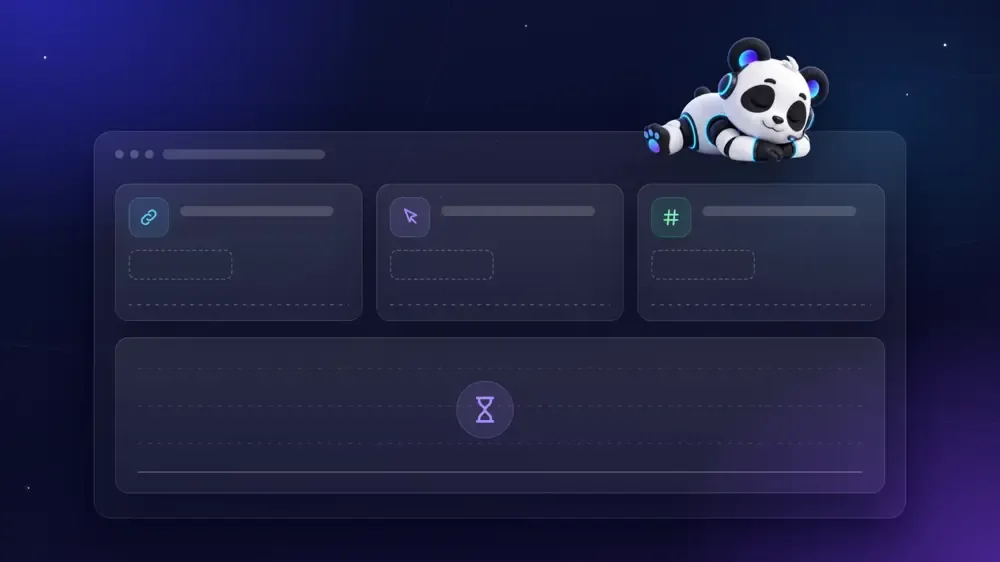
That's the real lesson of the Business Hub. The profile doesn't get you cited, it shows you what happens once ChatGPT cites you. To answer, ChatGPT relies on the pages it reads, like comparisons, reviews, media and your own website.
What the Business Hub doesn't show
Three numbers are a start, but what you need to act is missing:
- The questions. You see topics, never your customers' questions.
- The brands cited instead of you. Nothing on the competitors ChatGPT recommends when it doesn't cite you.
- The sources. You don't know which pages ChatGPT read to answer, or which ones you should be in.
- Your name without a link. An answer that recommends you without linking to your website isn't counted as a mention.
- The other AI engines. Gemini, Perplexity, Google AI Overviews and Copilot aren't in it, by definition.
That's what a tracking tool like iPand does. It asks your customers' questions every day to ChatGPT, Gemini, Perplexity and other AI engines, then shows who is cited instead of you and which sources the engines use. To see where your brand stands, run the free audit, no credit card required.
What about business agents?
Once the profile is verified, a business can create an agent, an assistant that answers questions about its products and policies in a separate, clearly labeled conversation. It links to your website, but it can't take payments, make bookings or check orders[2].
For now, it is only open to eligible ecommerce and online service businesses in the US. Businesses can also sponsor their agent and make it the destination of their ChatGPT ads. OpenAI plans to widen access to more markets over time[3].
What to do now
- Claim your profile, even if the insights stay empty at first. The day ChatGPT starts citing you, that's where you'll see it.
- Check your robots.txt. If OAI-SearchBot, the ChatGPT search crawler, is blocked, your pages can't show up in its search answers[4]. And a mention is precisely a reference to your website.
- For ecommerce, upload an up-to-date product feed. It doesn't guarantee any recommendation, but ChatGPT gets your prices and availability first-hand.
- Work on the pages ChatGPT reads, like comparisons, reviews, press articles and your own pages. That's where citations are won.

 ChatGPT 26%
 AI Overviews 19%
 Gemini 9%
Advertising doesn't influence ChatGPT's independent answers.
Frequently asked questions
Who can claim a business in ChatGPT?
Anyone who owns the business or is authorized to represent it, where ChatGPT is available and verification is supported. You then need to pass a Persona identity check. Local businesses can only claim an existing US listing for now.
Does claiming your profile improve your visibility in ChatGPT?
Not directly. OpenAI says claiming doesn't guarantee more visibility and that advertising doesn't influence ChatGPT's independent answers. The profile mostly keeps your details up to date and gives you a few insights.
Why are my Business Hub insights empty?
They only show up above an activity threshold, which OpenAI doesn't specify. A blank can also mean the data is still being collected. It doesn't necessarily mean zero.
What counts as a mention in the Business Hub?
For an online business, each time ChatGPT references its website. The brand name alone, without a link, doesn't count. For a local business, each time the location shows up in an answer.
Are business agents available outside the US?
Not yet. They are limited to eligible ecommerce and online service businesses in the US. OpenAI plans to widen access to more markets over time.
Can an agency manage its clients' profiles?
Yes. The profile admin can add teammates and grant agency access in the Business Hub. Each person uses their own ChatGPT account.
Can businesses see ChatGPT conversations?
No. Businesses don't receive individual prompts or conversations, including chats with their agent. Insights are aggregated.
Sources
- Introducing Businesses in ChatGPT, OpenAI - openai.com/
index/ , accessed November 21, 2026, page dated November 10, 2026introducing-businesses-chatgpt/ - Setting up your business on ChatGPT, OpenAI help center - help.openai.com/
en/ , accessed November 23, 2026articles/ 20001635-setting-up-your-business-on-chatgpt - OpenAI launches ChatGPT Business Hub for companies, IT Brief Asia - itbrief.asia/
story/ , accessed November 23, 2026, page dated November 11, 2026openai-launches-chatgpt-business-hub-for-companies - Overview of OpenAI Crawlers, OpenAI - developers.openai.com/
api/ , accessed November 22, 2026docs/ bots